Document Checklist Builder
Create professional, customised document checklists for your migration clients in just a few clicks.
Start with ready-made templates or create your own checklists. Customise sections and generate professional, client-ready PDFs featuring your business branding.
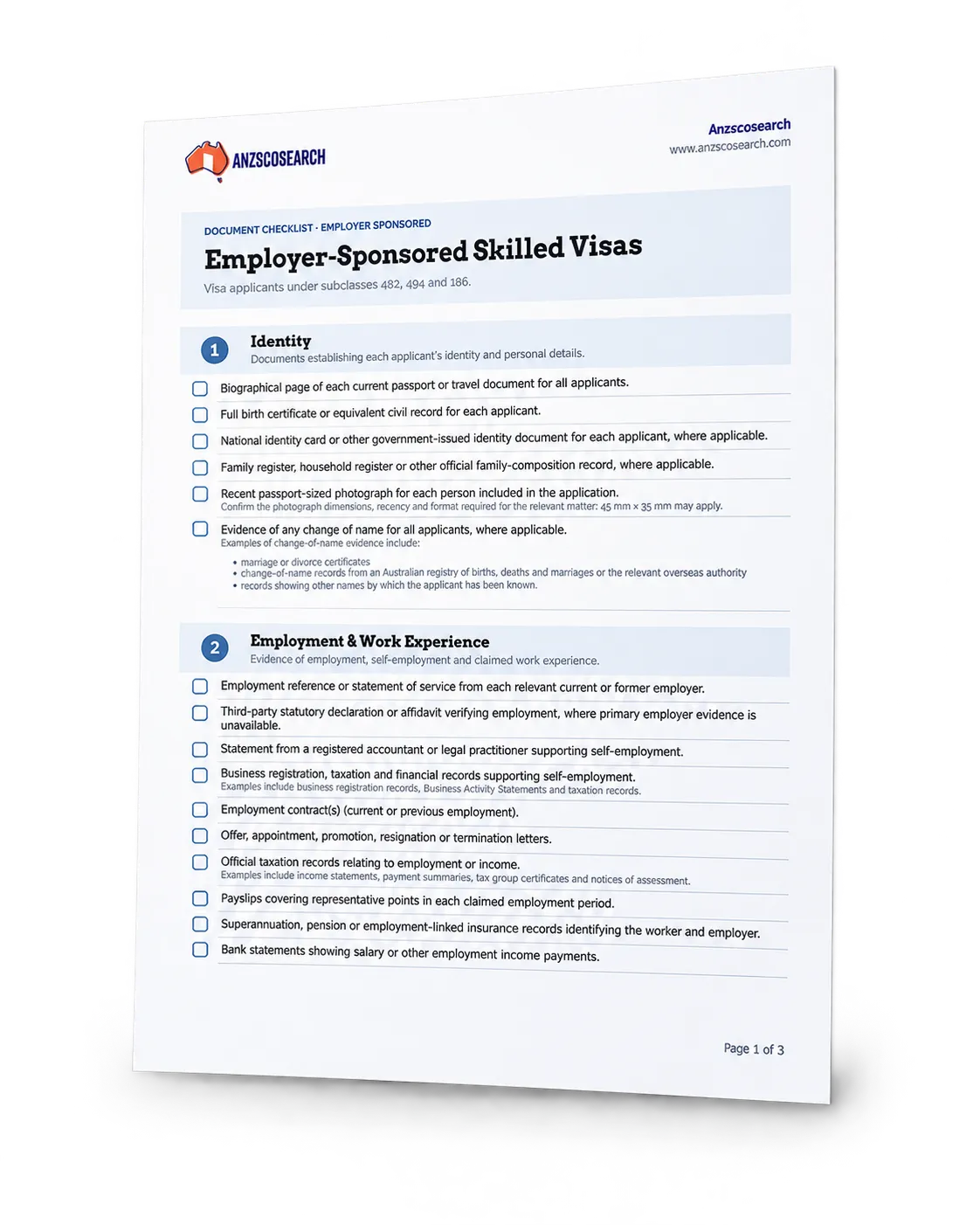
Customise to Suit Each Matter
Select relevant document categories and checklist items, organise sections, and adapt your checklist to the individual application or client.
Keep the information relevant, clear and easy for your clients to follow.
Your Business. Your Branding.
Generate professionally formatted PDF checklists using your firm’s logo, business name and contact details.
Deliver documents under your own business identity, without Anzscosearch branding in the generated PDF.
Save and Reuse Your Checklists
Build a personal library of checklists for different visa applications, client requirements and documentation scenarios.
Return to your saved checklists, make adjustments and reuse them for future matters.
Ready-Made Templates
Start with structured document checklist templates covering common migration matters, including skilled migration, employer sponsorship, student and visitor visas.
Use the templates as a starting point rather than preparing every document checklist from scratch.
Key Features
Flexible tools that make document preparation easier, more consistent and more professional.
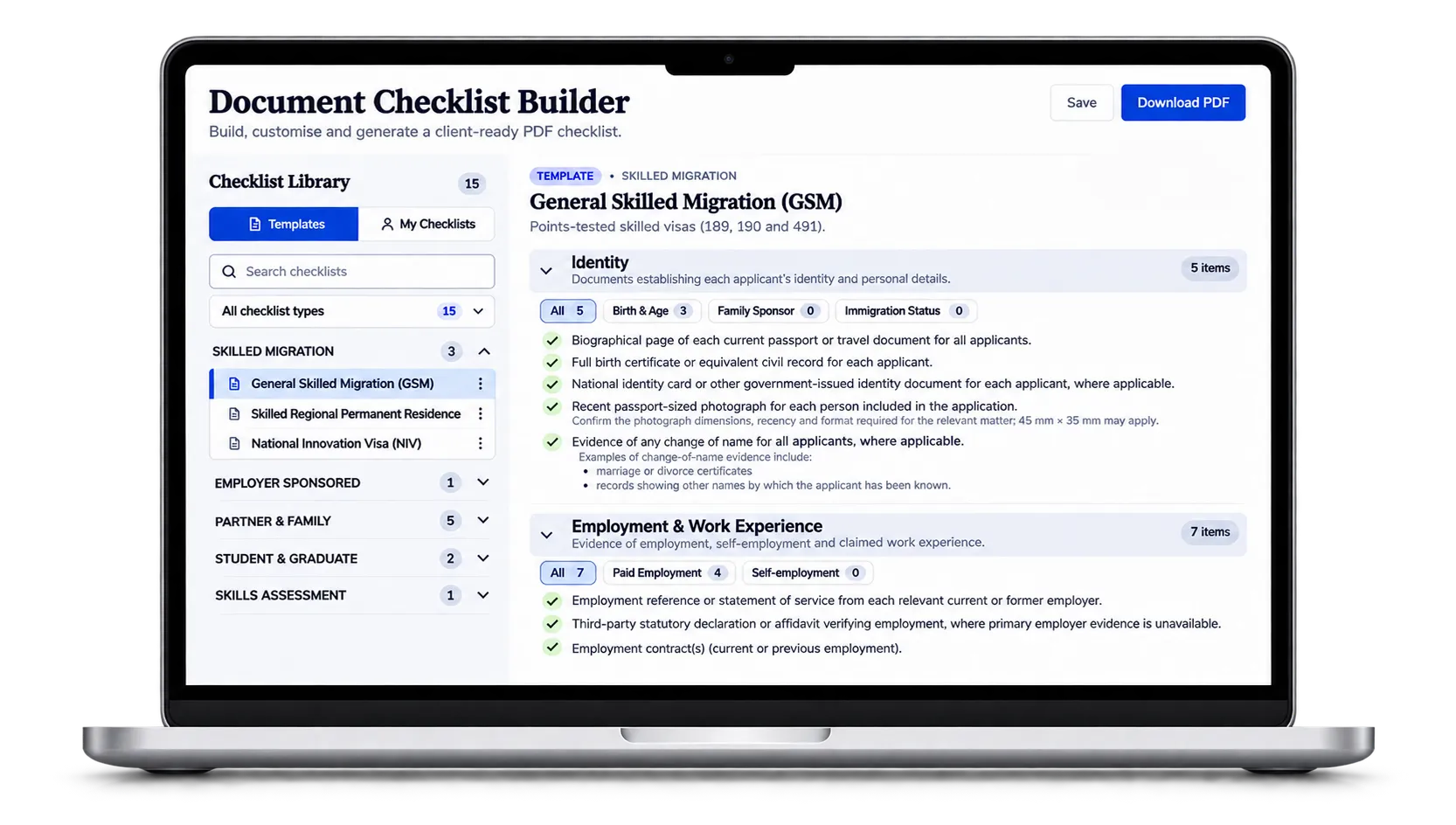
Templates and My Checklists
Browse predefined templates or manage your own saved checklists. Templates provide a consistent starting point, while your personal checklists can be edited and tailored to your requirements.
Organised Document Sections
Build checklists using clearly defined sections, such as Identity, Employment & Work Experience, Qualifications, Relationship, Character & Health and other relevant documentation areas.
Flexible Item Selection
Choose which checklist items are relevant to the matter. Include supporting descriptions and explanatory notes where available to help clients understand what documents are required.
Professional PDF Output
Generate a clean, structured PDF containing numbered sections, document checkboxes and supporting information, ready to share electronically or print.
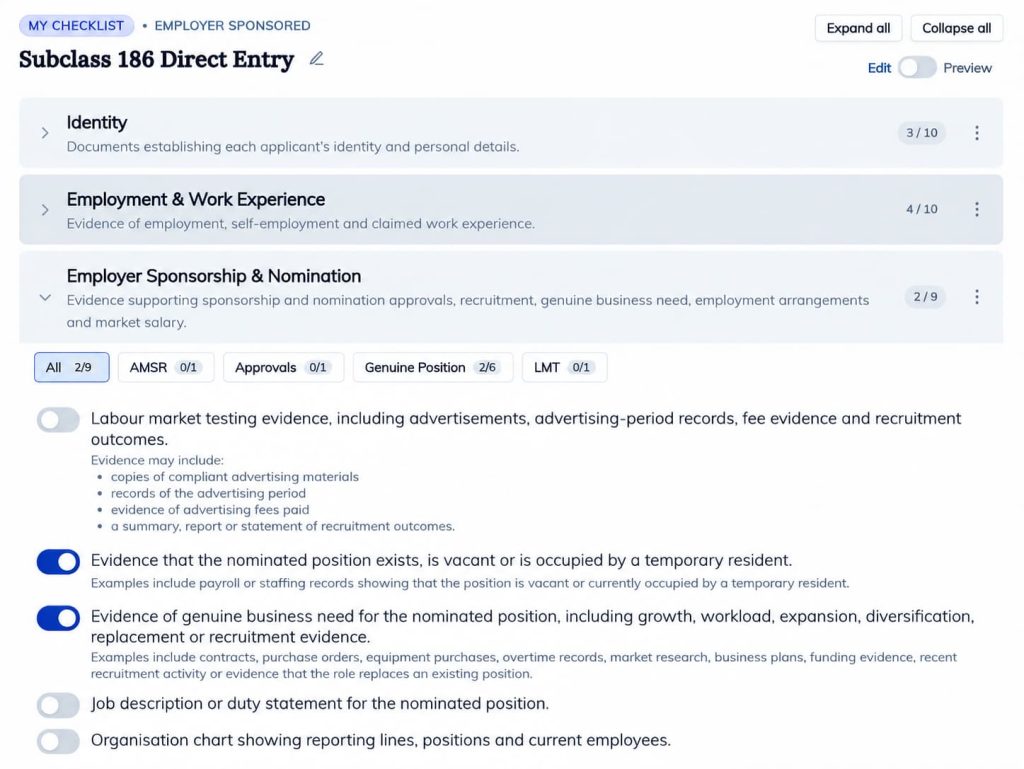
How It Works
01. Choose a Template or Start from Scratch
Select an existing template from the Checklist Library or create a new checklist based on the type of application you are preparing.
02. Build Your Checklist
Select and organise the relevant sections and document items. Adapt the checklist to the requirements of the visa application or client.
03. Review and Save
Review the checklist, make any necessary adjustments and save it in My Checklists for future access and reuse.
04. Generate Your Branded PDF
Download a professional document checklist displaying your business details and branding, ready to send to your client.
Why Professionals choose this tool?
Save Valuable Time
Reduce repetitive document preparation by starting with structured templates and reusing your own saved checklists.
Improve Consistency
Maintain a clear and organised approach to document requests across different applications and client matters.
Strengthen Your Brand
Provide clients with professionally presented documentation featuring your own business identity.
Frequently Asked Questions
What is the Document Checklist Builder?
The Document Checklist Builder is a tool designed for migration professionals to create, customise, save and generate professional document checklists for visa applications and related migration matters.
You can start with an existing template or build a checklist from scratch, choose relevant sections and document items, and generate a client-ready PDF with your business branding.
Who can use the Checklist Builder?
The tool is designed for registered migration agents, Australian legal practitioners and other migration professionals who regularly prepare document requests for clients.
Access to the Document Checklist Builder is included with the Professional Plus subscription.
What types of checklists can I create?
The Checklist Builder supports different migration-related document preparation scenarios, including:
- Skilled migration
- Employer-sponsored visas
- Partner & Family
- Student & Graduate
- Other customised migration matters
The available sections and checklist items can be selected according to the requirements of each matter.
Can I create my own checklists?
Yes. You can create a checklist from scratch or use one of the predefined templates as your starting point.
Your personal checklists are stored under My Checklists, where you can access and edit them as required.
The original predefined templates remain read-only.
Can I reuse or duplicate a checklist?
Yes. You can reuse previously saved checklists and create independent copies for different clients or applications.
This helps reduce repetitive work while allowing you to tailor each checklist to the individual matter.
Can I include my logo and business details?
Yes. The generated PDF can include your business name, logo and contact details.
You will need to complete the required Business Details fields in your Anzscosearch account before generating your branded PDF.
Will my clients see Anzscosearch branding?
No. The generated document is designed for white-label presentation.
Your own business branding is used in the client-facing PDF, without Anzscosearch branding.
Are the checklists automatically tailored to each applicant?
No. The Checklist Builder provides structured templates and document items that you can customise.
You remain responsible for selecting the documents appropriate to the particular applicant, visa subclass and circumstances.
Can I download and print the checklist?
Yes. Once your checklist is prepared, you can generate a PDF suitable for downloading, printing or sharing electronically with your client.
Which subscription includes this feature?
The Document Checklist Builder is included with the Anzscosearch Professional Plus subscription.
If you currently have a different subscription, you can upgrade to Professional Plus to access this feature.

Create Better Checklists. Save Time. Work Smarter.
Prepare professional, branded document checklists with greater flexibility and consistency.
Document Checklist Builder is included with Professional Plus.